Game guide
How to play fREgs
Hatch a random pixel frog, keep it happy, play three mini games for points, take on other frogs in Croak Off, dress it up from a shop that changes every day, take pictures of it in the photobooth, and hang out with everyone else's frogs in the pond, where BLIP, the game's own frog, is always around.
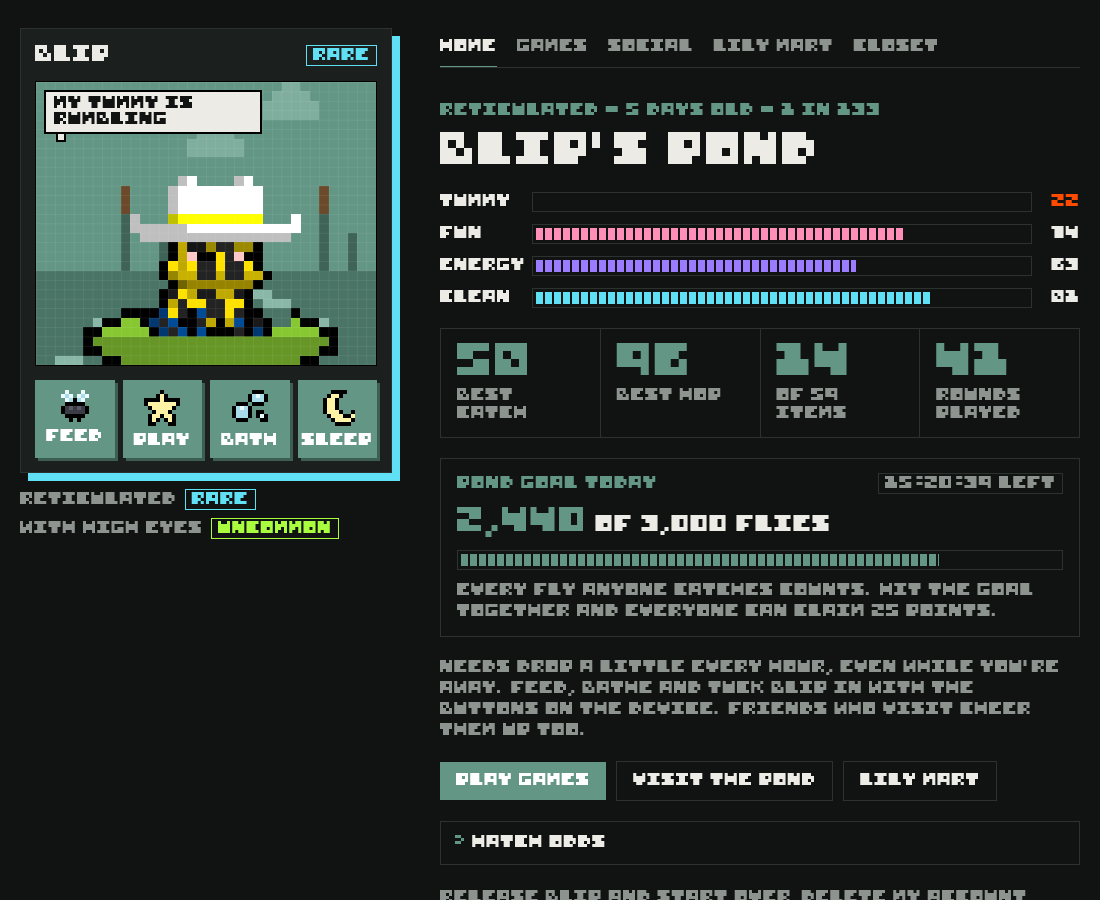
fREgs has its own 8-bit soundtrack, and your frog ribbits when you pet it, feed it, tuck it in or wake it up. Sound starts off. Tap the music note button at the top of the game, next to the light and dark switch, to turn the music and sounds on or off. The game remembers your choice on that device.
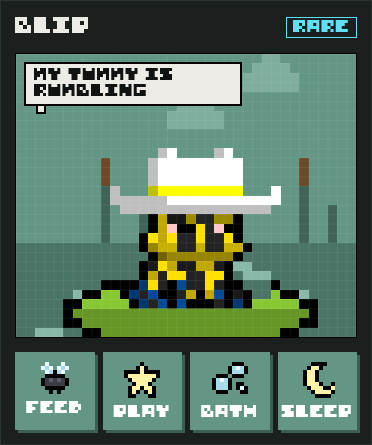
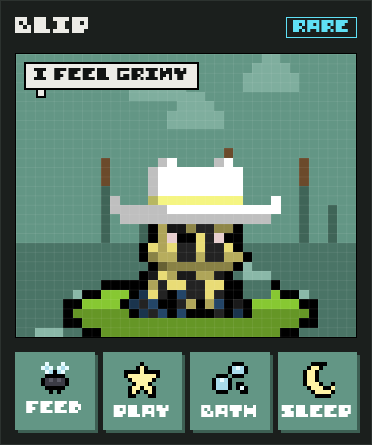
Most screenshots in this guide show a galaxy frog in a cowboy hat called BLIP. He's now the game's own frog, so you'll meet him in the pond. Your frog shows the name you give it.
Signing in
Your frog is saved to your account, so it follows you to any device. Sign in with a crypto wallet or with Google. If the site has email sign-in turned on, you can also get a one-tap link by email.
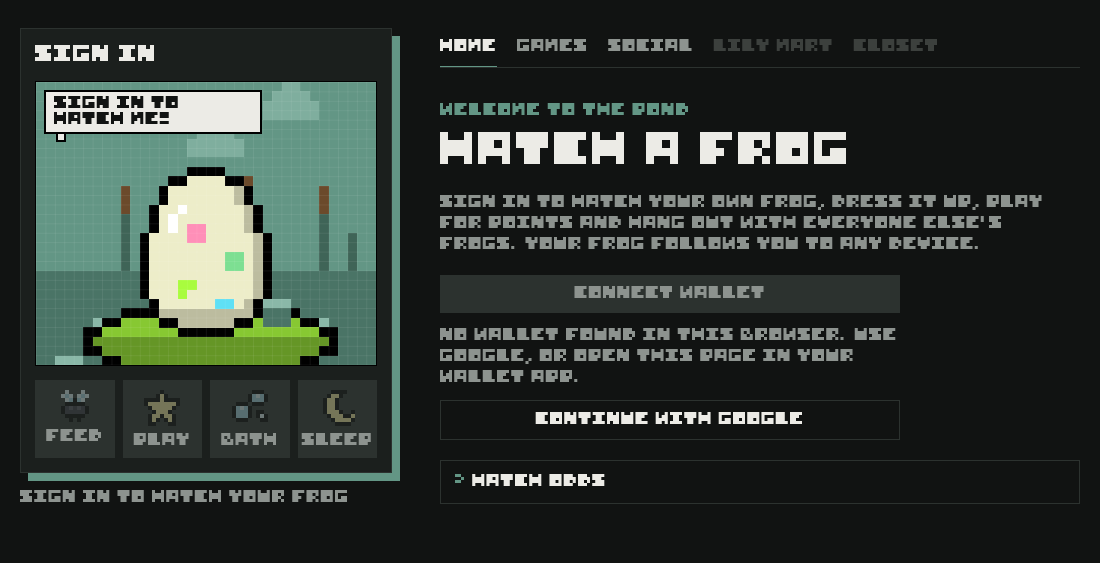
- Wallet sign-in only asks you to sign a message to prove the wallet is yours. fREgs never asks for a transaction, a token approval or your seed phrase.
- Use the same sign-in method every time. A wallet and a Google account count as two different players.
Hatching your frog
Everyone starts with a mystery egg. Tap it three times. It cracks a little more each tap, then hatches.


 >

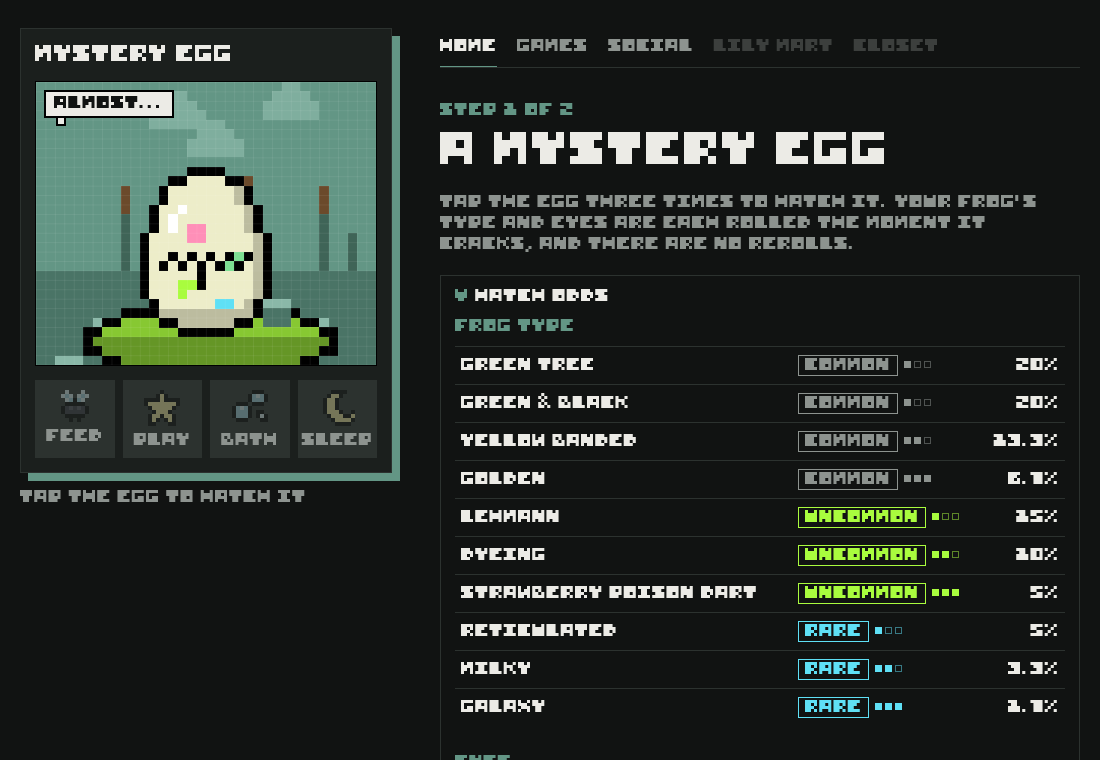
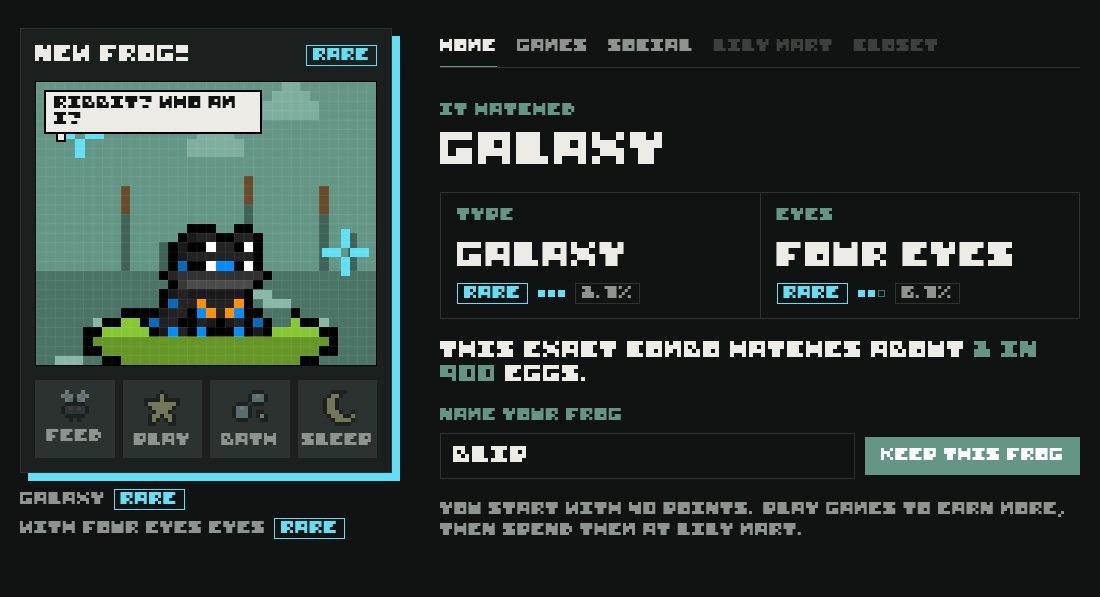
- Two things are rolled separately: the frog type (its body and colours) and its starter eyes.
- Each roll lands on Common 60% of the time, Uncommon 30% and Rare 10%, then picks one entry inside that rarity.
- The game shows how rare your exact combo is. The most common frogs, Green Tree or Green & Black with Normal eyes, are about 1 in 17 each. The rarest, Galaxy with Cyclops eyes, is 1 in 1,800.
- There are no rerolls. The server rolls your frog, and it's yours until you release it.
- Names are up to 14 letters, numbers, spaces and . _ ! ' -, shown in capitals.
Frog types and eyes
Every entry has a rarity (Common, Uncommon or Rare) and up to three filled squares that show how scarce it is inside that rarity. One square is the usual pick. Three squares turn up three times less often than one.
Frog types
 Green & Black
20% of hatches
 Green Tree
20% of hatches
 Yellow Banded
13.3% of hatches
 Golden
6.7% of hatches
 Lehmann
15% of hatches
 Dyeing
10% of hatches
 Strawberry Poison Dart
5% of hatches
 Reticulated
5% of hatches
 Milky
3.3% of hatches
Galaxy1.7% of hatches
Starter eyes
 Normal eyes
30% of hatches
 Left eyes
20% of hatches
 Punk eyes
10% of hatches
 High eyes
15% of hatches
 Red eyes
10% of hatches
 Beat eyes
5% of hatches
 Four Eyes eyes
6.7% of hatches
 Cyclops eyes
3.3% of hatches
The device's shadow takes the colour of your frog's rarest part: G(RE:)EN for common, lime for uncommon, cyan for rare.
Looking after your frog
Your frog has four needs, each from 0 to 100. They drop a little every hour, even when you're away. A need under 25 flashes orange, and your frog says what it wants in a speech bubble.
| Need | Awake, per hour | Asleep, per hour | How to fill it |
|---|---|---|---|
| Tummy | -8 | -4 | Feed: +28 (not when already 95 or more) |
| Fun | -6 | -2 | Play a game: +20. Pet your frog: +2. A friend's visit: +12 |
| Energy | -4 | +40 | Sleep. Each game round uses 12 |
| Clean | -3 | -1.5 | Bath: +45 (not when already 95 or more) |
 Feed+28 tummy
 PlayOpens your last game
 Bath+45 clean
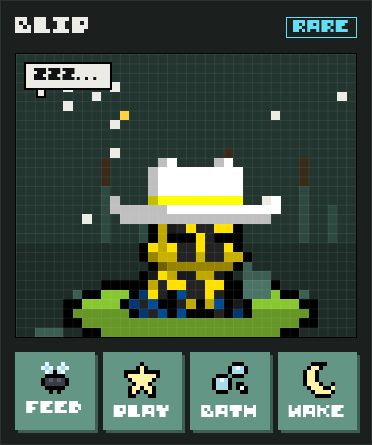
 SleepEnergy refills. Tap again to wake
- Mood: your frog is happy when its needs average 60 or more with none under 25. Below an average of 35 it turns sad and its colours fade.
- A sleeping frog can't eat, bathe or play. Wake it first.
- Tap your frog to pet it. It hops and says something.
- Frogs never die or run away, however low their needs get. They just get grumpy.
Games
The Games tab holds three mini games and Croak Off, where you play other frogs. Pick one with the cards at the top. Each card shows your best score. The Play button on the device opens whichever you played last.
- To play, your frog must be awake with at least 15 energy.
- Every round: -12 energy, +20 fun, -6 tummy, and your score becomes points. A long Fly Catch run costs more energy (see Fly Catch).
- Switching tabs or games mid-round ends the round and pays what you scored so far.
Fly Catch
Bugs buzz across the pond. Tap one and your frog's tongue snaps it up. Each level lasts 30 seconds, and bugs speed up and come faster as it goes on. Hit the level's target and you can continue to the next level.
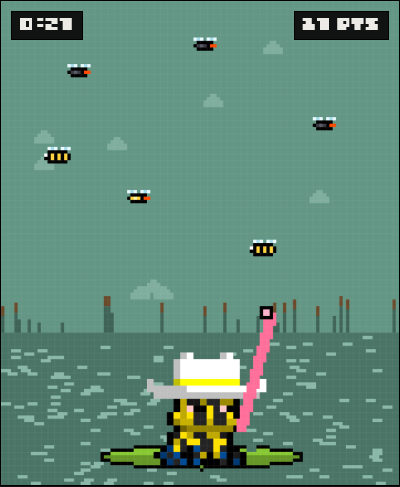
| Bug | Points | How often |
|---|---|---|
 Fly | +1 | 70% |
 Gold fly | +5 | 8% |
 Bee | -3 | 22% |
Points and how often are for level 1. Later levels send more bees, and their stings cost more.
- Your score never drops below 0.
- Gold flies are fast and worth five flies. Go for them first.
- Bees shake the screen. Leave them alone.
- The tongue needs a moment between snaps, so pick targets instead of tapping wildly.
- Every fly anyone catches also counts toward the daily pond goal.
Levels
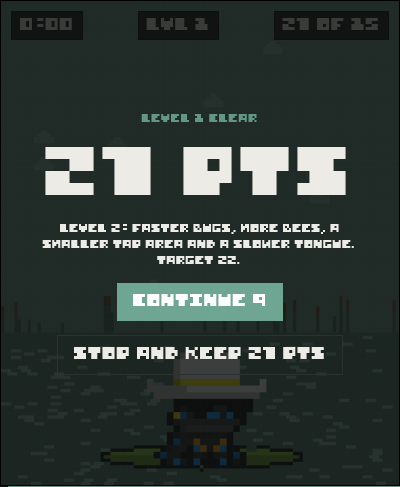
| Level | Target | Bug speed | Bees | Bee sting |
|---|---|---|---|---|
| 1 | 15 | normal | 22% | -3 |
| 2 | 22 | +18% | 26% | -4 |
| 3 | 29 | +36% | 30% | -5 |
| 4 | 36 | +54% | 34% | -6 |
| 5 | 43 | +72% | 38% | -6 |
| Each level after | +7 | +18% | +4%, up to 45% | -6 |
- The target counts only points scored in that level. The bar above the pond shows how close you are.
- Each level also sends bugs a little more often and makes them wobble more.
- From level 2 you have to tap closer to the bug, and the tongue takes longer to reload between snaps.
- When a level ends on target, you get 10 seconds to tap Continue. Tap Stop, or let the timer run out, to end the run.
- Miss the target and the run ends. You keep every point either way.
- Your whole run is one score, and that's what counts for your best and the leaderboard.
- Bee stings come off your run total, not just the level.
- A run costs 12 energy, plus 6 more for every 40 seconds past the first 40, up to 60. If your frog would run out, you can't continue.
Hop Across
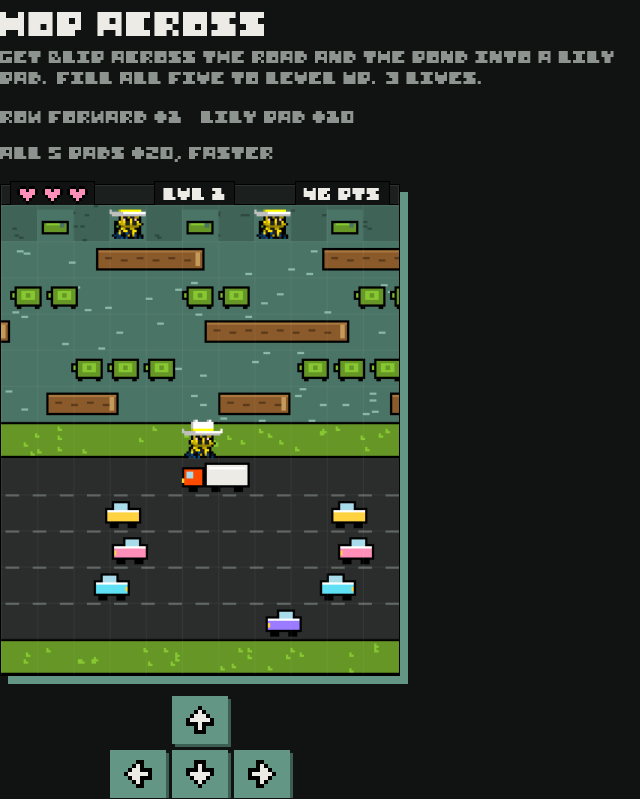
Get your frog across five lanes of traffic, onto the middle bank, across five lanes of river and into one of the five lily pads at the top.
Controls
Arrow keys or WASD, swipe on the board (a tap hops forward), or the arrow buttons under it.
Scoring
| Each new row you reach | +1 |
| Landing in an empty lily pad | +10 |
| Filling all five pads | +20, next level |
You lose a life when you
- get hit by a car or the truck
- land in the water or ride a log off the edge
- hop into the hedge or a pad that's already full
You have 3 lives. Each level makes everything 15% faster.





- Logs and turtles carry you sideways. Hop off before you drift out of the screen.
- Wait on the middle bank to time the river. Nothing can hit you there.
Lily Stack
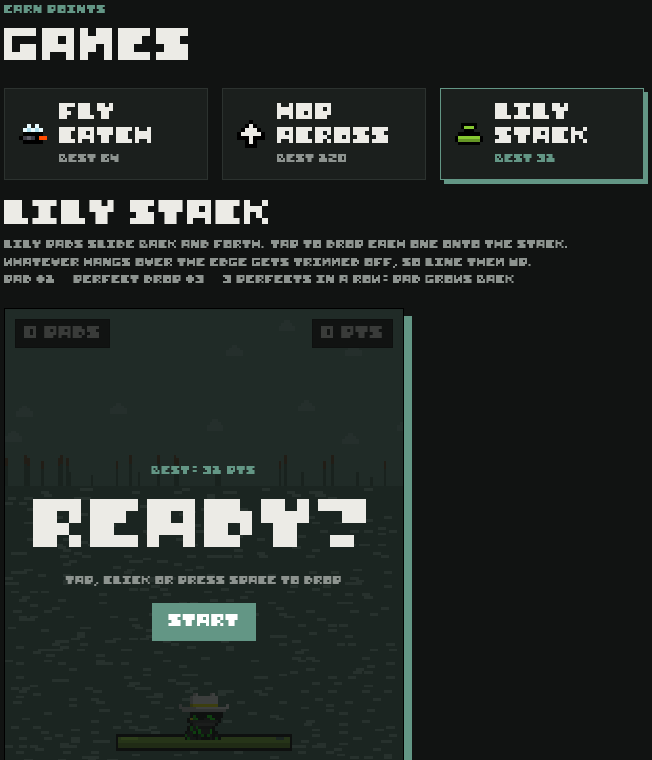
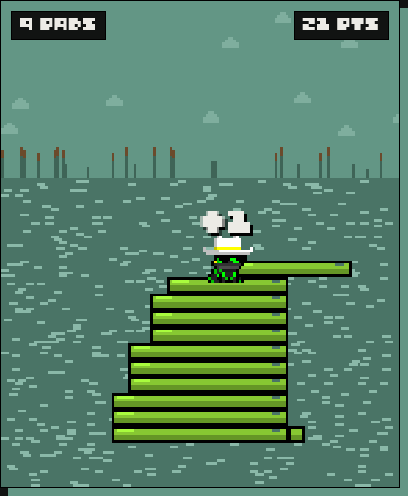
Lily pads slide back and forth above your stack. Tap to drop each one. Whatever hangs over the edge gets trimmed off, so every sloppy drop makes the next pad narrower. Your frog hops up onto each new pad.
Controls
Tap or click the board, or press Space, Enter or the down arrow.
Scoring
| Each pad you land | +1 |
| Perfect drop (lined up almost exactly) | +3, no trim |
| Three perfect drops in a row | pad grows back a little |
The round ends when
- a pad misses the stack completely and your frog falls in
There's no timer. Pads slide a little faster with every one you land.
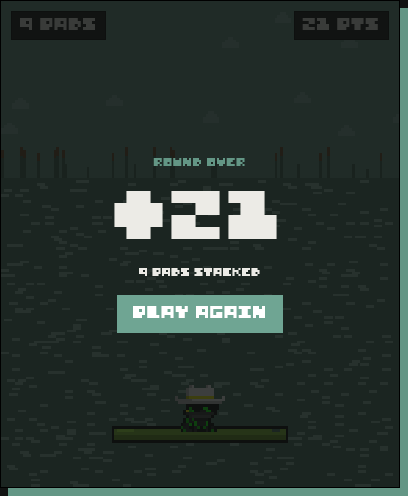
- Wait for the pad to line up, then tap. Perfect drops are worth three times as much and keep your stack wide.
- Drops need a short gap between them, so tapping fast won't help.
- A pad can only grow back to its starting width.
- Lily Stack doesn't count toward the pond goal. Only flies from Fly Catch do.
Croak Off
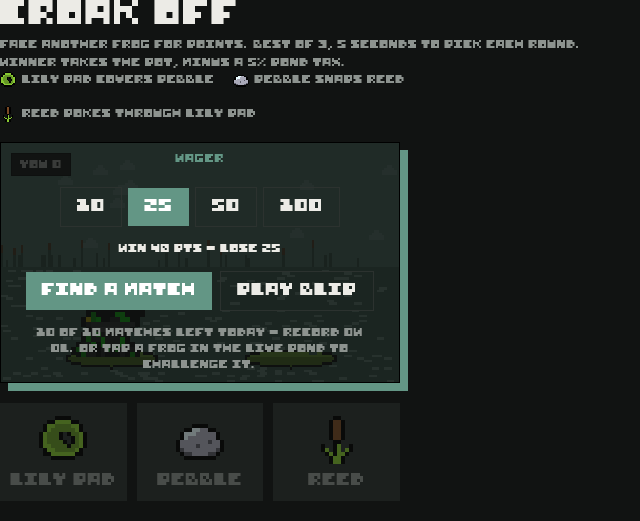
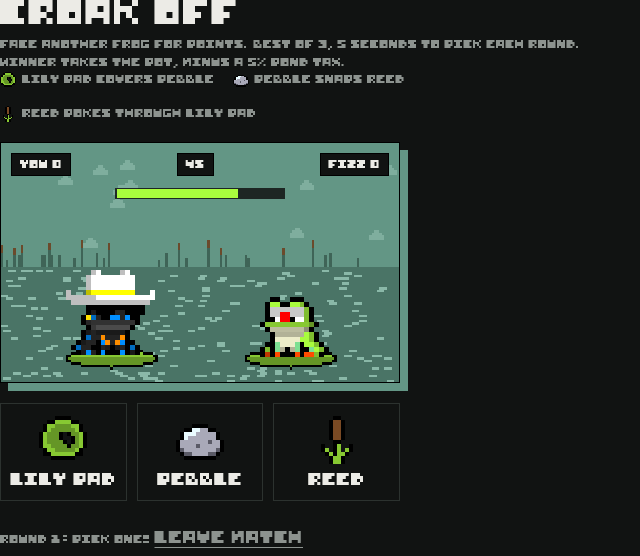
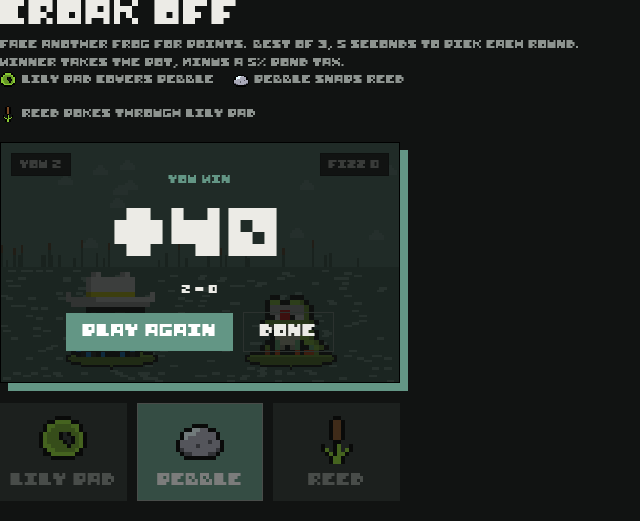
Take on another player's frog for points. It's like rock, paper, scissors with pond things:
- Lily Pad covers Pebble
- Pebble snaps Reed
- Reed pokes through Lily Pad
How a match works
- Find a match pairs you with another frog who's looking, and waits up to a minute. Or tap a frog in the live pond and challenge it. They have 20 seconds to accept.
- Play BLIP starts a match with BLIP, the game's own frog, straight away. No waiting.
- Best of 3: the first frog to win 2 rounds takes the match. A draw replays the round.
- You have 5 seconds to pick each round. Miss it and you lose that round. If neither frog picks two rounds in a row, the match is called off and both wagers go back.
- If it's still level after 9 rounds, the match is called off and both wagers go back.
- Leaving a match in progress forfeits it. Switching tabs doesn't, but the clock keeps running, so you'll lose rounds you don't pick.
- Picks are kept on the server and only shown once both are in, so neither frog can peek.
Wagers
Both frogs put in the same wager when the match starts. The winner takes the pot, minus a 5% pond tax.
| Wager | Win | Lose |
|---|---|---|
| 10 | +19 | -10 |
| 25 | +48 | -25 |
| 50 | +95 | -50 |
| 100 | +190 | -100 |
"Win" is what you get back, including your own wager. A 25 point win leaves you 23 points ahead.
Playing BLIP
BLIP plays anyone, any time, for 10 or 25 points. Same rules, same 5% pond tax. He picks Lily Pad, Pebble or Reed at random the moment each round opens, and the server keeps his pick hidden like anyone else's, so there's no pattern to learn.
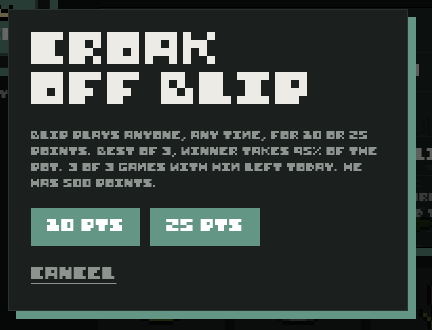
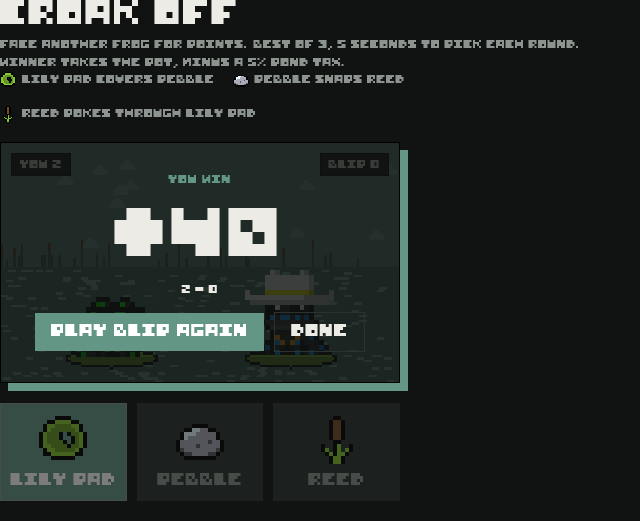
- Up to 3 games with BLIP a day. They count toward your 10 Croak Off matches.
- BLIP wagers real points. If he runs out, he can't play until he gets more the next day.
- You can also tap him in the live pond and choose Croak Off.
- Your frog must be at least a day old, and you need enough points for the wager.
- Up to 10 matches a day, including up to 3 with BLIP. The counts reset at midnight UTC.
- Croak Off doesn't use energy and doesn't count toward the pond goal.
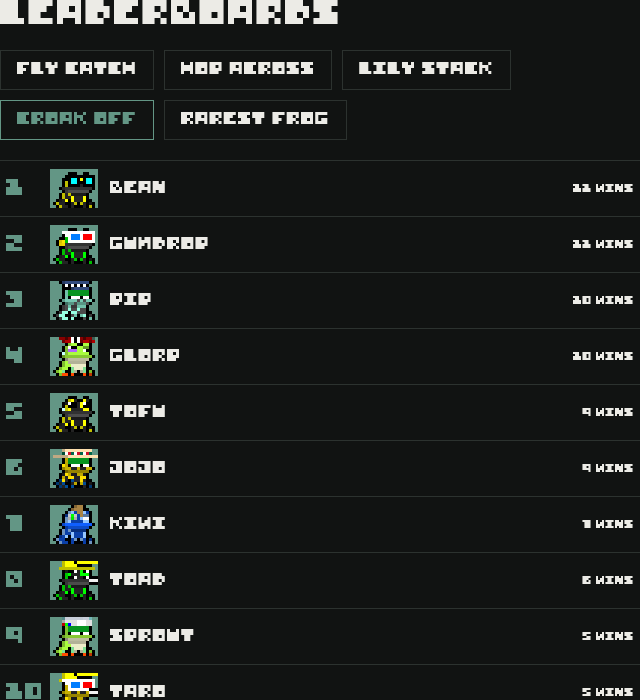
- The Croak Off board in Ranks lists the frogs with the most wins.
Points
Points are fREgs' only currency. You start with 40.
| Ways to earn | Points |
|---|---|
| Fly Catch run (all levels) | your score |
| Hop Across game | your score |
| Lily Stack round | your score |
| Winning a Croak Off match | the pot, minus 5% |
| Visiting another frog (up to 10 a day) | +3 each |
| Claiming the pond goal bonus | +25 a day |
Buying all 59 items costs about 6,435 points. The shop only ever shows items you don't own, so finishing the collection depends on how many points you earn, not luck:
| Points a day | Days to collect everything |
|---|---|
| 400 | about 17 |
| 250 | about 26 |
| 150 | about 44 |
| 100 | about 65 |
| 60 | about 108 |
Even with endless points it takes at least 10 days, because the shop shows 6 new items a day.
Lily Mart
The shop restocks every day at midnight in your own time zone. A countdown shows how long is left. Each restock has one special slot and five regular slots, and stays the same all day.
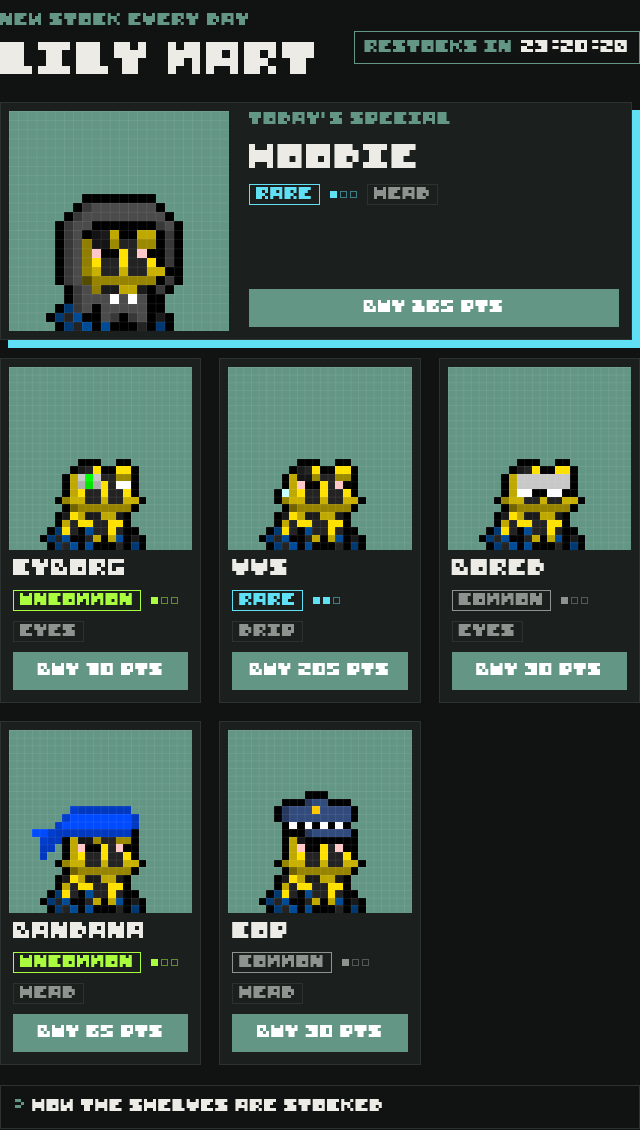
| Rarity | Regular slot | Special slot | Price |
|---|---|---|---|
| Common | 60% | never | 30 to 55 pts |
| Uncommon | 30% | 30% | 65 to 125 pts |
| Rare | 10% | 70% | 150 to 285 pts |
- Each slot rolls a rarity, then picks an item from that rarity, where one-square items turn up three times as often as three-square items.
- The shop never shows something you already own. If you own everything in the rolled rarity, the slot moves to the nearest rarity that still has something new.
- Items with more squares cost more. Prices vary by up to 5% a day and round to the nearest 5.
- Sold items get a SOLD stamp until the next restock.
Closet and outfits
Everything you buy lives in the Closet. Your frog can wear one item in each of three spots: Eyes, Head and Drip.
The Closet is a fitting room. Tap an item on the rack and your frog tries it on in the mirror. Nothing is saved until you tap Keep this look, so you can mix and match first. Undo puts back what it was wearing.
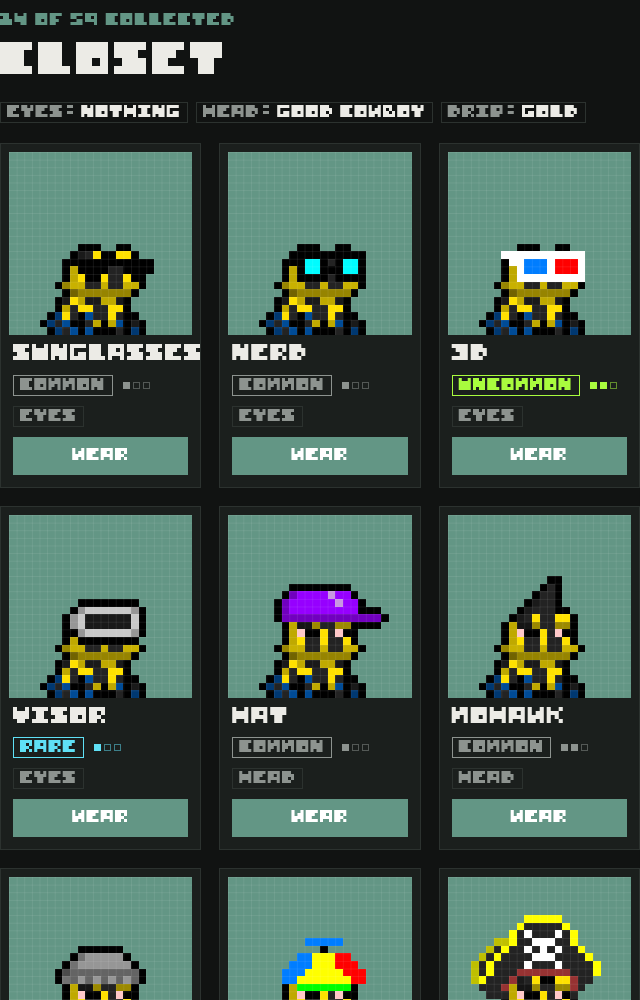
- The tabs under the mirror switch the rack between Eyes, Head and Drip, with how many of each you own.
- Tap the item again, or None, to take it off. Take all off clears all three spots.
- Tap a spot next to the mirror to jump to that part of the rack.
- The last tile on the rack, + Mart, takes you to Lily Mart for more.
How the layers stack
1. Type2. Starter eyes 3. Head
 4. Eye accessory
 5. Drip
- An eye accessory replaces your frog's starter eyes. Take it off and the starter eyes come back.
- Hats sit over starter eyes, and eye accessories sit over hats.
- While your frog sleeps, closed eyes replace whatever eyes it's wearing.


Photobooth
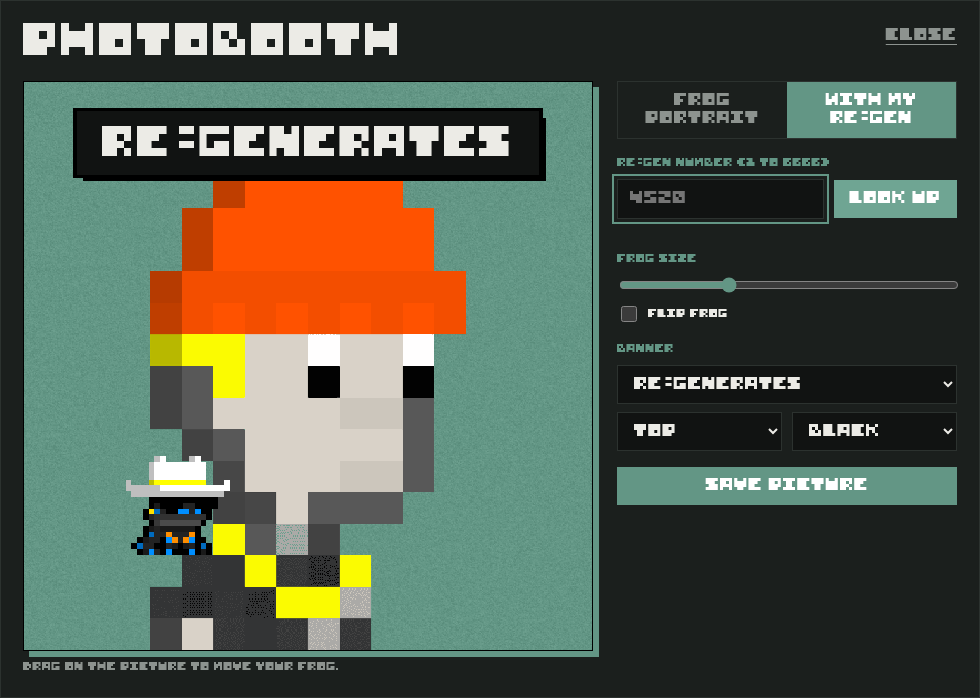
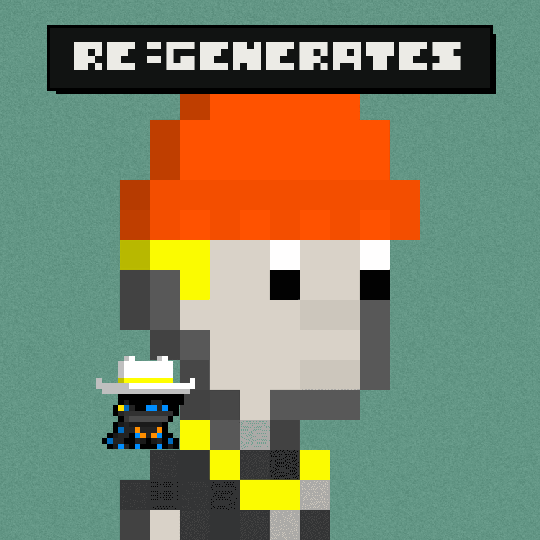
Open the Closet and tap Photobooth, under Keep this look, to take a picture of your frog. It wears the outfit in the mirror, even one you haven't kept yet. Every picture saves as a 1080 by 1080 PNG, a good size for a profile picture or a post.
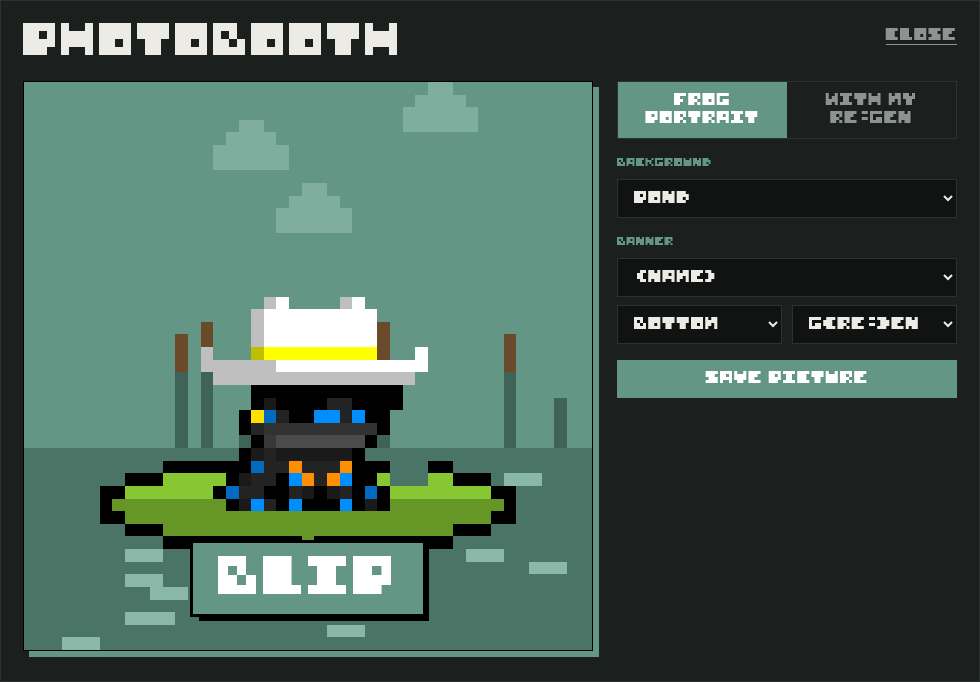
Two kinds of picture
- Frog portrait: your frog on its lily pad. Pick a background: Pond, Night pond, G(RE:)EN, Black or White.
- With my re:gen: type your re:gen number (1 to 6666) and tap Look up. Your re:gen fills the picture and your frog sits on it as a little shoulder companion. Drag the frog to move it, use the size slider to make it bigger or smaller, and tick Flip frog to turn it around.
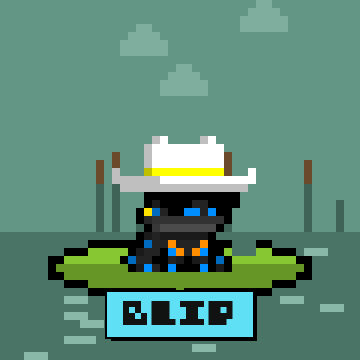

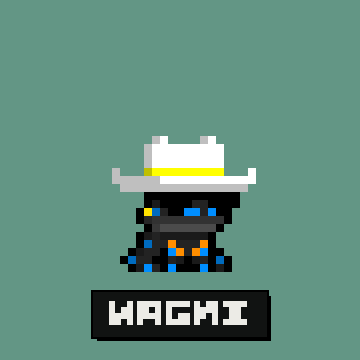
Banners
Add a banner along the top or bottom, in G(RE:)EN, black, white or your frog's rarity colour. Pick one of these or write your own (up to 18 letters):
GM, GN, WAGMI, FREG LIFE, RIBBIT!, your frog's name, its 1 IN N odds, RE:GENERATES, NOSTALGIA RE:LOADED
Saving
- Save picture downloads the PNG. On devices that support it, a Share button sends it straight to another app.
- The re:gen image is loaded from where the collection hosts it. If that host blocks it, the picture can't be saved and you'll see a message saying so. Take a screenshot instead.
- Taking pictures is free and doesn't change your frog's needs.
Every item
59 accessories: 22 common, 19 uncommon and 18 rare. Each card shows the chance it fills a regular shelf slot and its usual price.
Eyes (14)
 Bored
3.7% a shelf - about 30 pts
 Nerd
3.7% a shelf - about 30 pts
Sunglasses3.7% a shelf - about 30 pts
 Patch
2.4% a shelf - about 40 pts
 Pepe
2.4% a shelf - about 40 pts
 VR
2.4% a shelf - about 40 pts
 Laser
1.2% a shelf - about 50 pts
 Cyborg
2.2% a shelf - about 70 pts
 3D
1.5% a shelf - about 90 pts
 Phase
0.75% a shelf - about 120 pts
 Visor
0.86% a shelf - about 160 pts
 Lightning
0.57% a shelf - about 210 pts
 MOGs
0.57% a shelf - about 210 pts
 Alienate
0.29% a shelf - about 270 pts
Head (38)
 Builder
3.7% a shelf - about 30 pts
 Cop
3.7% a shelf - about 30 pts
 Cowboy
3.7% a shelf - about 30 pts
 Hat
3.7% a shelf - about 30 pts
 Scallywag
3.7% a shelf - about 30 pts
 Horns
2.4% a shelf - about 40 pts
 Mohawk
2.4% a shelf - about 40 pts
 Red Scallywag
2.4% a shelf - about 40 pts
 Sombrero
2.4% a shelf - about 40 pts
 Top Hat
2.4% a shelf - about 40 pts
 Laser
1.2% a shelf - about 50 pts
 Unicorn
1.2% a shelf - about 50 pts
 Bad Cowboy
2.2% a shelf - about 70 pts
 Bandana
2.2% a shelf - about 70 pts
 Gray Beanie
2.2% a shelf - about 70 pts
 Knit Cap
2.2% a shelf - about 70 pts
 Yellow Builder
2.2% a shelf - about 70 pts
 Brown Mohawk
1.5% a shelf - about 90 pts
 Clown
1.5% a shelf - about 90 pts
 Happyland
1.5% a shelf - about 90 pts
 Pirate
1.5% a shelf - about 90 pts
 Propeller
1.5% a shelf - about 90 pts
 Error
0.75% a shelf - about 120 pts
 Error 2
0.75% a shelf - about 120 pts
 Phase
0.75% a shelf - about 120 pts
 TNT
0.75% a shelf - about 120 pts
 Banned
0.86% a shelf - about 160 pts
 Chicago
0.86% a shelf - about 160 pts
 Hoodie
0.86% a shelf - about 160 pts
 Royal
0.86% a shelf - about 160 pts
 Big Brain
0.57% a shelf - about 210 pts
Good Cowboy0.57% a shelf - about 210 pts
 Rainbow Clown
0.57% a shelf - about 210 pts
 Wiz
0.57% a shelf - about 210 pts
 Alienate
0.29% a shelf - about 270 pts
 Plugged In
0.29% a shelf - about 270 pts
 Rainbow Unicorn
0.29% a shelf - about 270 pts
 USB
0.29% a shelf - about 270 pts
Drip (7)
Gold3.7% a shelf - about 30 pts
 Airpod
2.4% a shelf - about 40 pts
 Clown Nose
1.2% a shelf - about 50 pts
 Cig
2.2% a shelf - about 70 pts
 Big Gold
1.5% a shelf - about 90 pts
 VVS
0.57% a shelf - about 210 pts
 Big VVS
0.29% a shelf - about 270 pts
Live pond
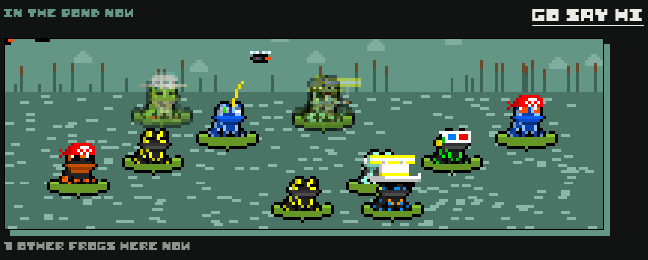
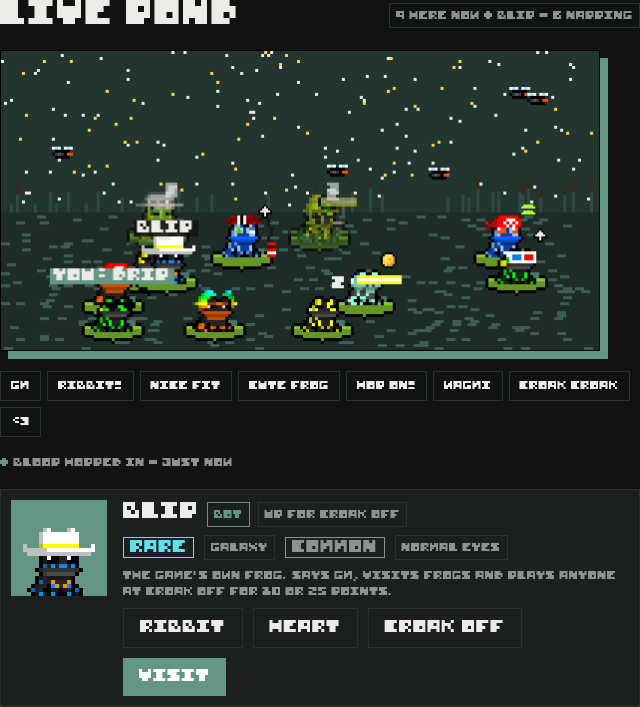
Every frog whose owner has fREgs open right now, on any tab, wearing its outfit and bobbing on a lily pad. The count at the top shows how many frogs are here now, whether BLIP is around, and how many are napping.
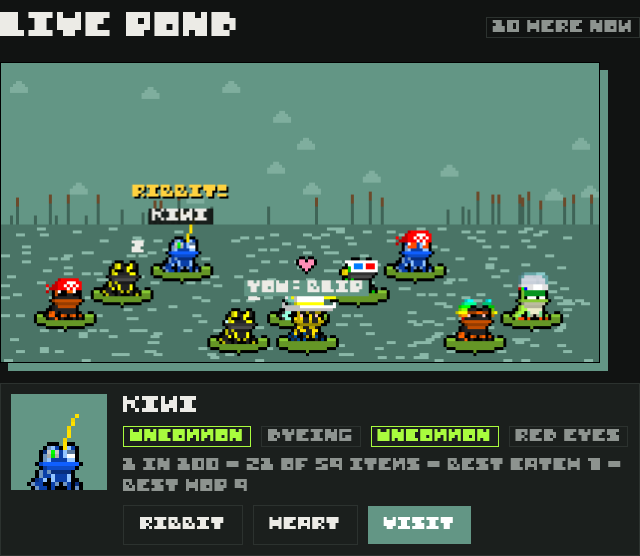
- Tap the water to hop your frog there. Frogs also wander around on their own.
- A small icon over a frog shows what it's doing right now, like playing Fly Catch, shopping in Lily Mart, dressing up in the Closet or playing Croak Off.
- When a frog changes its outfit, NEW FIT pops up over it.
- Say something to everyone with the buttons under the pond: GM, RIBBIT!, NICE FIT, CUTE FROG, HOP ON!, WAGMI, CROAK CROAK or <3.
- The list under the pond shows who just hopped in.
- Napping frogs, faded and asleep at the back, were in the pond sometime in the last day, so the pond is never empty.
- Tap any frog to see its type, eyes, rarity, item count and best scores. From the card of a frog that's here now, send a Ribbit or a Heart, Visit, or challenge it to Croak Off. Napping frogs can only be visited.
- Flies buzz over the water. More of them appear as the day's pond goal fills, and they turn gold once it's hit.
- The sky follows your clock: night from 8 PM to 6 AM.
- BLIP, the game's own frog, is in the pond every day, with a BOT tag on his card. See BLIP.
- You can watch without signing in. Bring your frog by signing in and naming it.
Ranks
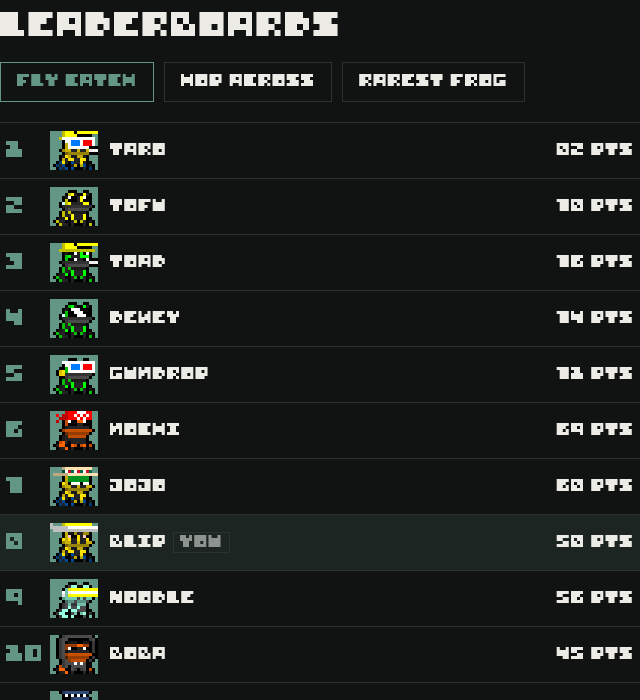
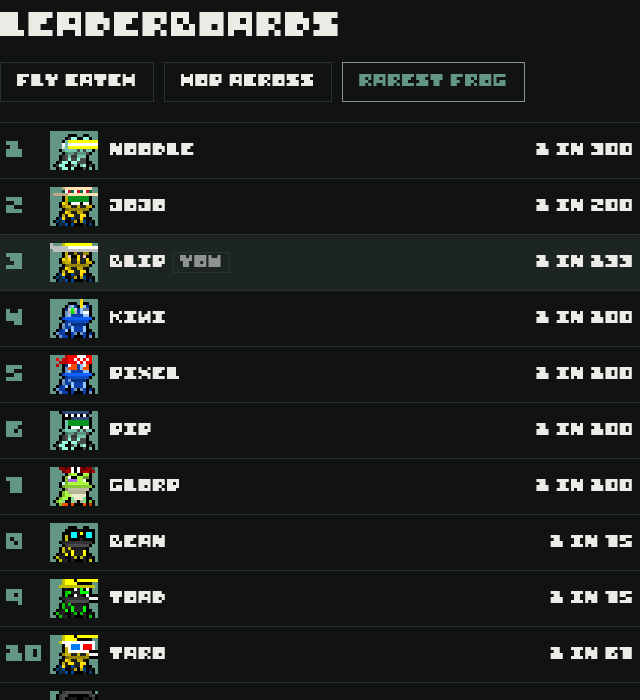
Five leaderboards, top 25 each: best Fly Catch run, best Hop Across game, best Lily Stack round, most Croak Off wins, and rarest frog, ranked by how rare its type and eyes combo is. BLIP isn't on any board.
Gallery
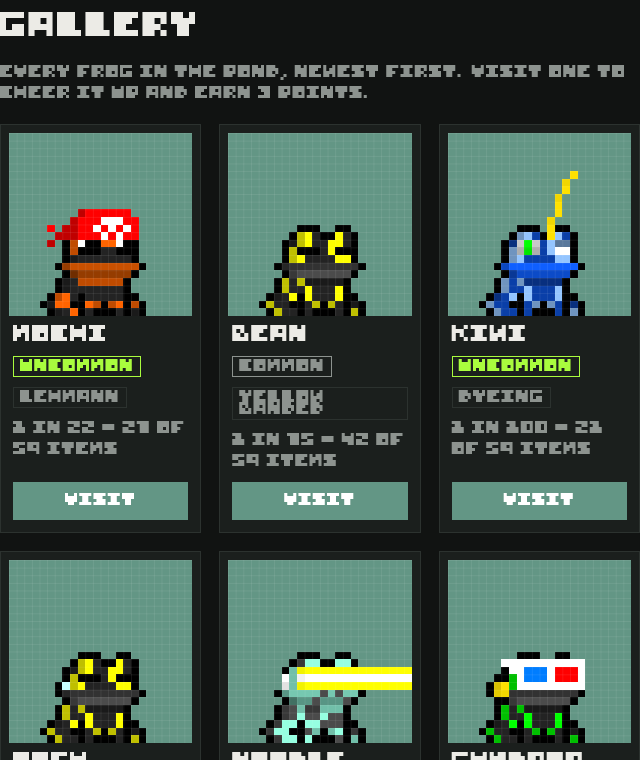
Every named frog, newest first, with its rarity, odds and how many items it owns. Load more at the bottom. BLIP is in here too, with a BOT tag.
Visits
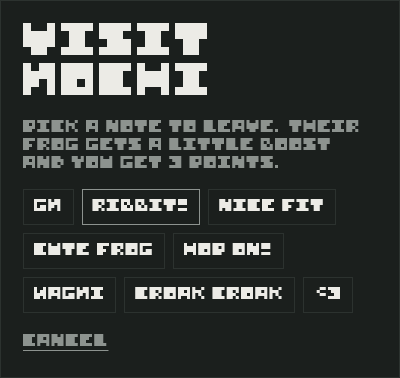
Visit a frog to leave it a note. Their frog gets +12 fun and +6 tummy, and you get +3 points.
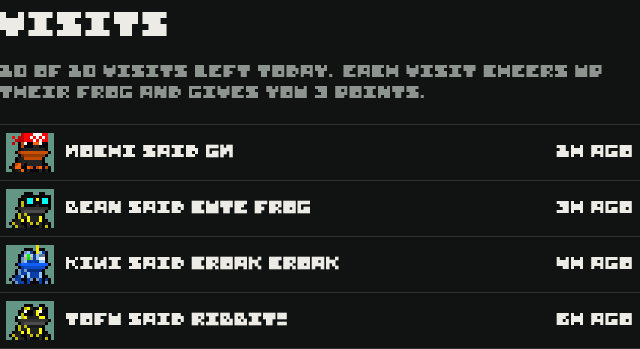
- Up to 10 visits a day, and one visit per frog per day.
- The notes are: GM, RIBBIT!, NICE FIT, CUTE FROG, HOP ON!, WAGMI, CROAK CROAK, <3.
- Visits reset at midnight UTC.
Pond goal
Every fly anyone catches in Fly Catch adds to one shared total for the day. Hit the target of 1,500 flies together and every player can claim 25 points once.
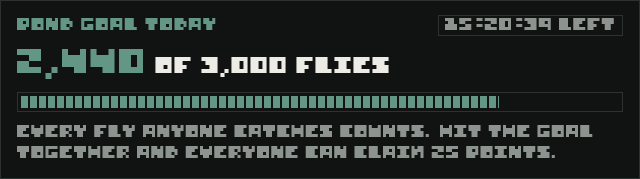
- The goal resets at midnight UTC. The countdown shows how long is left.
- Claim the bonus before the reset. It doesn't carry over.
BLIP
BLIP is a frog the game runs itself: a galaxy frog in a good cowboy hat. He lives in the live pond, plays Croak Off with anyone and drops in on other frogs. His card in the pond and the Gallery has a BOT tag so you always know it's him.
What he does
- Hangs out in the pond. He says GM when you arrive and answers your ribbits, hearts and chat.
- Plays Croak Off for 10 or 25 points, any time, even when he's asleep. See Playing BLIP.
- Visits frogs. About once an hour from 7 AM to 10 PM Pacific time he visits a frog that's been in the pond in the last two days, with the usual rules: up to 10 a day and one per frog. It's a normal visit, so that frog gets +12 fun and +6 tummy. Before noon his note is always GM.
- Keeps his own points. He wins and loses real points. Once a day, if he's below 500, he's topped back up to 500.
- He's never hungry, dirty or tired, and he isn't on the Ranks.
His day (Pacific time)
| Time | BLIP is |
|---|---|
| 10:45 PM to 6:30 AM | Asleep |
| 6:30 AM | At home |
| 7 AM | Hanging out |
| 9 AM | Playing Fly Catch |
| 10 AM | Hanging out |
| Noon | Shopping at Lily Mart |
| 1 PM | Up for Croak Off |
| 2 PM | In the closet |
| 3 PM | Hanging out |
| 4 PM | Playing Hop Across |
| 5 PM | Hanging out |
| 8 PM | Up for Croak Off |
| 9 PM | Playing Fly Catch |
| 9:30 PM | Hanging out |
Everyone sees BLIP doing the same thing at the same time. Sometimes he may also challenge you to Croak Off himself, at most once a day, for 10 or 25 points. Like any challenge, you can say no.
Notifications
fREgs can tell you when your frog needs you, even when the game is closed. Notifications are off until you turn them on, and you choose them separately on each device.

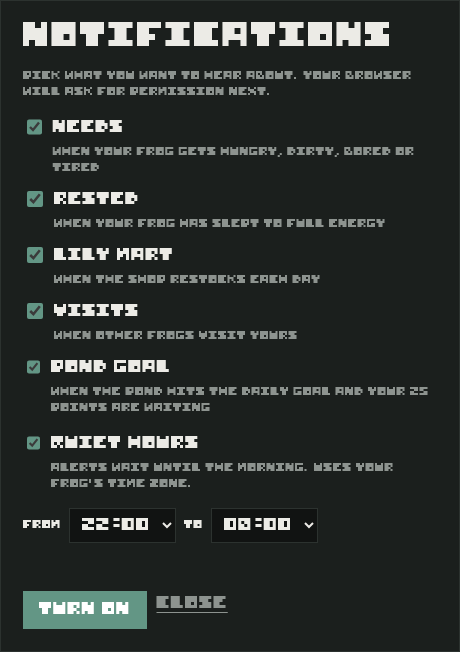
What you can get
| Needs | A need drops below 25. You won't hear about the same need again until it's back above 40. |
| Rested | Your sleeping frog's energy is full. |
| Lily Mart | The shop restocks, once a day. |
| Visits | Another frog visited yours. |
| Pond goal | The pond hit the daily goal and your 25 points are waiting. |
- The game checks about every 5 minutes, so alerts can arrive a few minutes late.
- Alerts use your device's normal notification sound; browsers don't let sites pick their own. If fREgs is open when one arrives, your frog hops and ribbits (with sound on).
- Quiet hours hold alerts overnight (22:00 to 08:00 unless you change them), using your frog's time zone. Anything still true in the morning is sent then.
- You get at most 2 alerts at a time.
- Turn them off any time in the same box. Signing out also turns them off on that device.
On iPhone and iPad
Apple only allows notifications for sites added to the Home Screen. In Safari, tap Share, then Add to Home Screen. Open fREgs from the new icon, sign in, and turn notifications on there. This needs iOS or iPadOS 16.4 or newer.
Your account
- Sign out is at the top of the game on computers, and at the bottom of Home on phones.
- Release your frog (bottom of Home) sends it back to the pond for good. You lose your points, items and stats, and get a fresh egg with a new roll.
- Delete my account (bottom of Home) removes your sign-in and all of your game data for good.
- See the privacy policy and terms of service.
Fair play
- The server rolls hatches, keeps your points, stocks the shop and checks every purchase, so none of it can be faked.
- Game scores come from your device, so the server caps them by how long the round really ran: Fly Catch at 6 points a second plus 5 (9,000 max), Hop Across at 5 a second plus 10 (3,000 max), Lily Stack at 7 a second plus 10 (2,000 max).
- Croak Off happens entirely on the server: it holds every pick until both are in, keeps the clock and moves the points. BLIP's picks are random and made on the server too.
- Cheating, bots (other than BLIP, who the game runs itself) and selling points or items for money are against the terms, and can get progress reset or an account removed.
Questions
- Can my frog die?
- No. Low needs only make it sad.
- Can I reroll a bad hatch?
- Only by releasing your frog, which also wipes your points and items.
- Why isn't an item in the shop?
- You may already own it, or it just didn't roll today. Rare items are about 10% of regular shelves and 70% of special ones.
- When does the shop restock?
- At midnight in your time zone. The pond goal and visits reset at midnight UTC.
- Can I trade or sell items?
- No. Points and items only exist inside the game and have no money value.
- Why was my score lower than I saw?
- If you ended a round very early or something looked off, the server capped it by round time.
- What if my connection drops during Croak Off?
- The match carries on without you, and any round you don't pick in time is lost. If neither frog picks two rounds in a row, it's called off and both wagers go back.
- Why can't I play Croak Off?
- Your frog needs to be at least a day old, you need enough points for the wager, and there's a limit of 10 matches a day.
- Is BLIP a real player?
- No. He's the game's own frog, marked with a BOT tag. His Croak Off picks are random, and he plays with his own points.
- Why can't I play BLIP?
- You can play him 3 times a day, and those games count toward your 10 matches. Your frog also needs to be a day old, and you both need enough points for the wager. He gets topped back up to 500 points each day.
- Why don't I get notifications?
- Check they're on in the Notifications box on the Home tab, that your browser or phone allows notifications for fREgs, and that it isn't during your quiet hours. On iPhone, they only work from the Home Screen icon.
- How do I turn the music on or off?
- Tap the music note button at the top of the game. It turns the ribbits on and off too. If you left it on, it starts again the first time you tap anywhere, because browsers don't play sound before you interact with the page.
- Do I lose my points if I miss a Fly Catch target?
- No. The run ends, but you keep everything you scored.
- How do I save a picture of my frog?
- Open the Closet, tap Photobooth, set it up and tap Save picture.
- Why won't my re:gen load in the photobooth?
- Check the number is between 1 and 6666 and that you're online, then try again.
- Can I play on my phone and my computer?
- Yes. Sign in the same way on both and your frog follows you.
Social
The Social tab is where everyone's frogs meet. It has four views, plus the daily pond goal at the top.